On this page
- What Images 2.5 changes for reference assets
- What Seedance 2.5 changes for video generation
- Reference roles now carry production intent
- How Starti uses Seedance 2.5 in Video Agent
- Longer generation changes the editing plan
- Faster production increases the value of creative feedback
- The useful benchmark is accepted output
- What this means for AI video generation
- Frequently asked questions
Two model releases this summer changed how much a single AI video generation can carry, and how much has to be decided before it runs.
ByteDance released Seedance 2.5 on July 31, 2026. OpenAI followed with ChatGPT Images 2.5 on September 8. In under six weeks, two key layers of an AI video pipeline each took a step forward: an image model teams use for reference assets, and a video model that turns those assets into motion and sound.
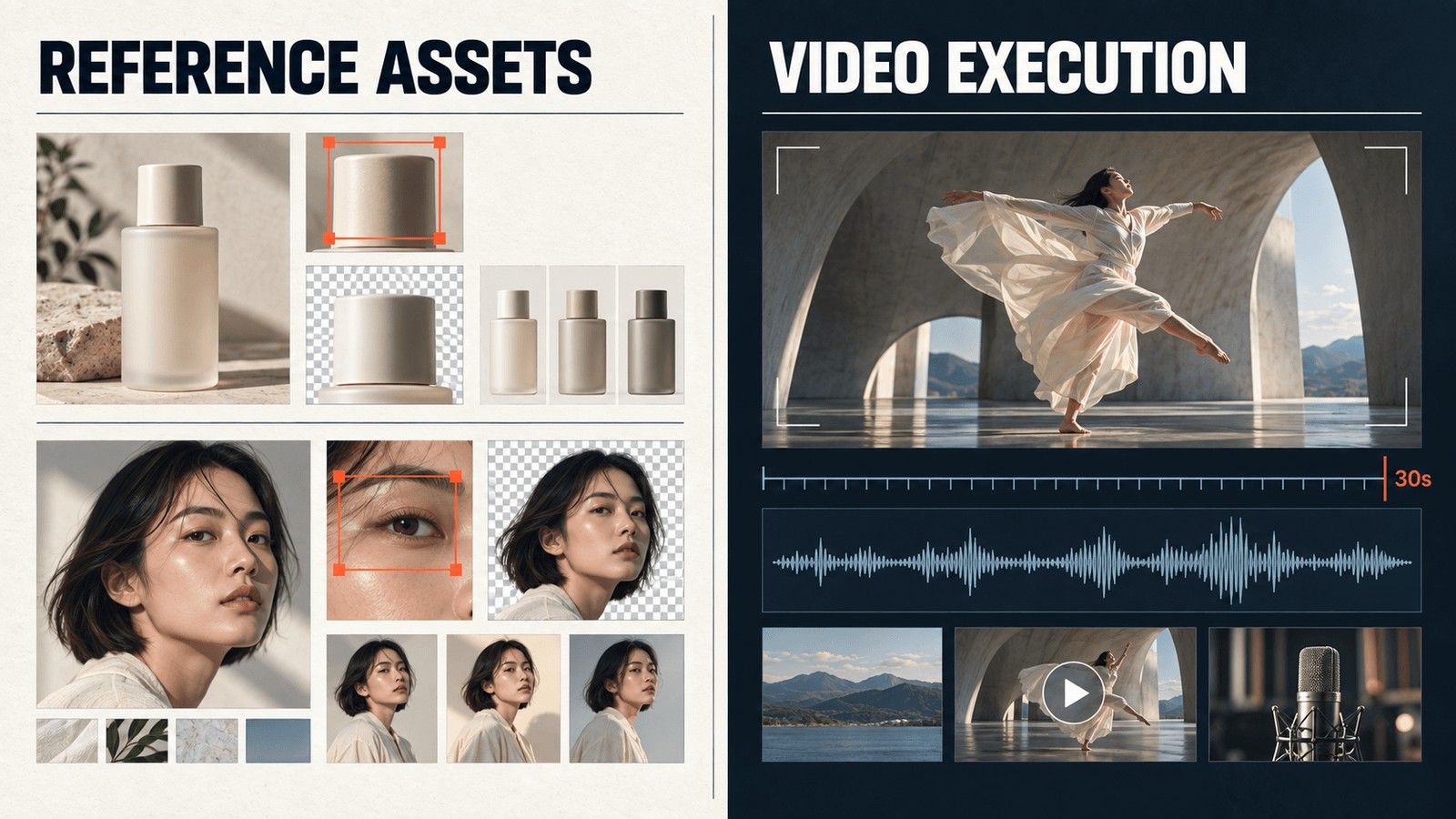
Seedance 2.5 generates up to 30 seconds of synchronized audio and video in one pass, from as many as 30 images, 10 video clips, and 10 audio clips. Images 2.5 makes the reference assets that feed that generation easier to edit and keep consistent. More can now happen inside a single model call, and more can go wrong inside it too. A wrong product shape at second 24 or a missed line at second 27 costs the whole 30 seconds unless the team can trace where each decision came from and repair that one piece.
That is why the working unit of AI video is shifting from the generated file to the creative decision behind it. A signed-off character, a locked product angle, a line of dialogue, and a camera move each need to hold from reference asset to shot to revision to campaign result. Starti Video Agent uses Seedance 2.5 as its default video model and is built around keeping those decisions intact.
What Images 2.5 changes for reference assets
Every AI video project starts with still images: the character sheet, the product shot at the right angle, the environment plate, the storyboard frame that shows what second 12 should look like. A video model is asked to honor those assets, and their quality sets the ceiling for everything downstream.
Images 2.5 raises that ceiling in the places that matter for production. OpenAI reports stronger subject fidelity from reference photos, more precise local edits, better consistency across repeated edits, and up to 50 percent lower latency than Images 2.0. In practice, a team can swap the background behind a product, change a line of on-screen copy, or move a character into new lighting while the composition and brand treatment stay where they were. Controlled variants that used to take a compositor's afternoon now take a few prompts.
The API ships in two profiles. GPT Image 2.5 Flare is positioned for faster everyday generation. GPT Image 2.5 Sunburst is built for workflows that need tighter control across edits, such as production-ready campaign creative and polished product imagery. Both accept text and image inputs and support transparent backgrounds. The OpenAI image prompting guide adds the discipline that makes the model reliable: give each reference a clear role, and state which details must stay fixed before asking for a change.
For a Starti workflow the output of this stage is a reference asset with an assigned role. A character, product view, environment, or storyboard frame refined in Images 2.5 is exported and uploaded to Video Agent, where it anchors generation instead of being described all over again in a prompt.
What Seedance 2.5 changes for video generation
Seedance 2.5 doubles the maximum single generation from 15 to 30 seconds, and the extra length is only part of the change. The model accepts far more reference material per request, generates sound in sync with the picture, extends an existing clip across multiple rounds, and edits at the timestamp level. One request can now carry several related shots with their visual and audio context intact.
The output side is more constrained than the input side. The BytePlus API supports text to video, first and last frame generation, combined media references, editing, extension, and synchronized sound. Through that operator, output is MP4 at 24 fps, 4 to 30 seconds long, at 480p or 720p. BytePlus ModelArk also offers 1080p output for Seedance 2.5, and teams delivering in 4K need an upscale and finishing step.
ByteDance also states where the model still falls short: complex motion, and interactions among several subjects. BytePlus restricts direct uploads containing real human faces unless the authorized material library capability is enabled.
Reference roles now carry production intent
Thirty images, ten clips, and ten audio tracks in one request is a lot of input, and the obvious temptation is to upload everything and let the model sort it out. That approach fails quietly. Left alone, the model decides which reference governs what. A portrait is meant to lock character identity. A product image is meant to lock geometry. A reference clip contributes movement or camera behavior. An audio file sets voice or pacing. Without those assignments the references compete.
Video Agent binds each reference to a role before generation. The binding reduces conflicts between references and keeps decisions available when a shot is revised. The same asset stays attached to a character, environment, product, or scene across the project, rather than being rediscovered through another prompt.
Prompt writing changes as a result. The prompt stops being the place where the campaign is invented and becomes a production instruction assembled from decisions already recorded in the project. The model receives selected assets, scene purpose, timing, and continuity requirements in a form it can execute, with nothing left to guess at.
How Starti uses Seedance 2.5 in Video Agent
For each generation, Video Agent prepares six instruction sections for Seedance 2.5, drawn from the project:
- Task: The generation mode, such as reference generation, first frame, first and last frame, editing, or extension.
- Asset Bindings: The numbered role of each image, video, and audio reference.
- Creative Summary: One sentence that locks the subject, scene, event, style, and cinematography.
- Spatial and Continuity: The positions, lighting, wardrobe, environment, and product state that must persist.
- Shot Sequence: The starting state, action, camera movement, ending state, and cut point for each time range.
- Dialogue and Sound: The exact dialogue plus the required voice, ambience, action sounds, music, and silence.
Each section is filled from work already signed off upstream. The script supplies the scene purpose and the effect on the audience. The storyboard supplies framing, action, timing, and cut logic. Asset Bindings record which source controls identity, environment, motion, or sound.
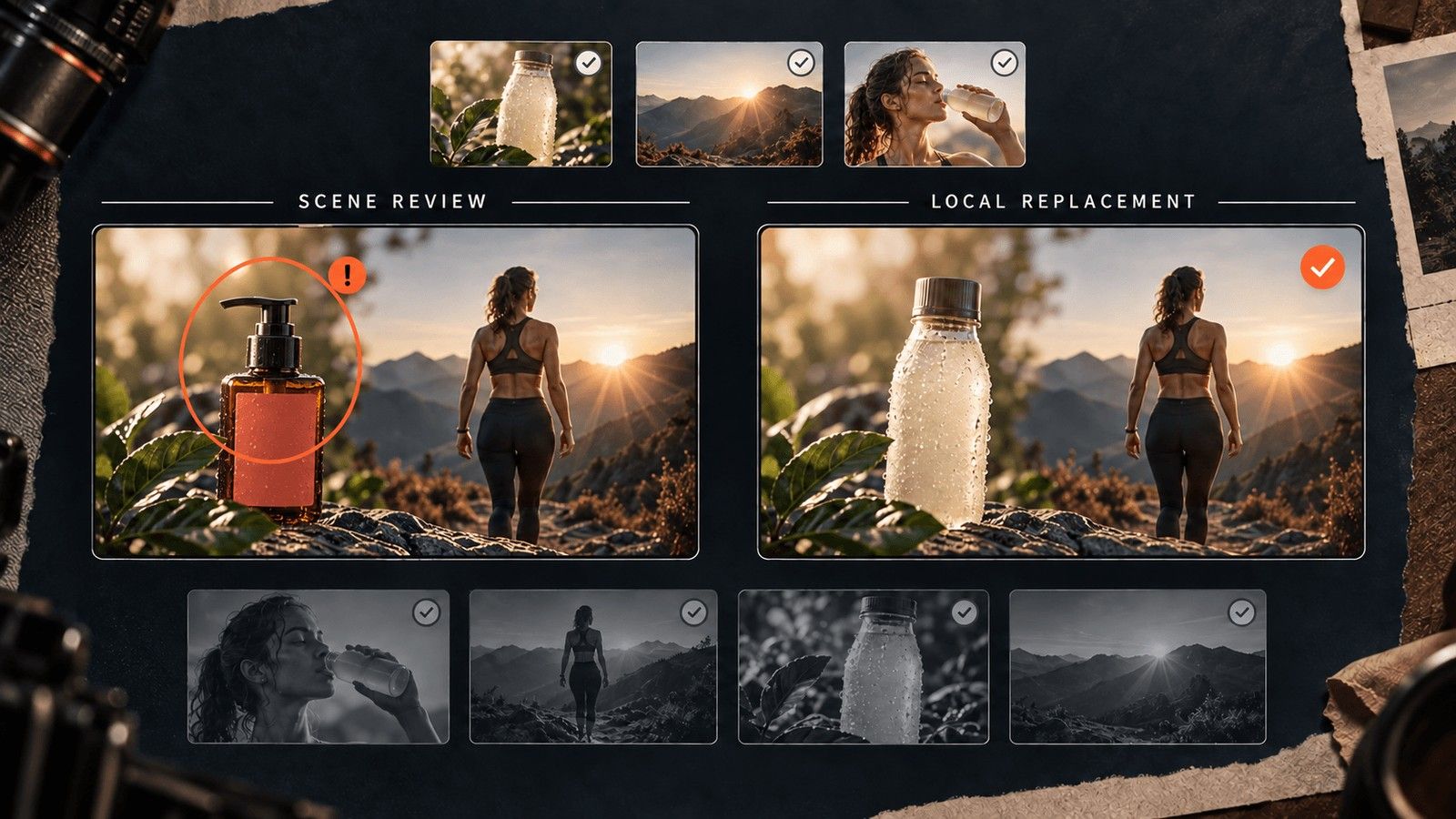
Feedback is routed at the same shot level. A user can select or annotate part of a brief, script, storyboard, or asset and send that exact context to the Agent, so a note about the second shot lands on the second shot. New references can be uploaded or picked from Project Assets. Character, environment, and shot assets are managed individually.
A failed scene is regenerated on its own. The script, the references, and the surrounding shots stay in place.
Longer generation changes the editing plan
A 30 second generation removes much of the assembly work behind a sequence of short clips. Performance, movement, and sound stay continuous across connected shots. The same length also concentrates more risk in one output, which is why the right generation boundary depends on what the team expects to revise.
A continuous walk through several environments benefits from one long generation. A product close-up, a legal disclaimer, or a scene the client is likely to change after review is easier to replace when it stays independent. Video Agent groups shots where continuity matters and keeps high-risk scenes separately replaceable.
The cost metric changes as well. Cost per generated clip hides whether the clip can be used. The metric that matters after Seedance 2.5 is accepted seconds, not generated clips.
Faster production increases the value of creative feedback
When each round produces more usable variations than the team can run, the bottleneck moves to selection: which idea deserves another version, and which creative variable should change next.
Smart Insight connects campaign results with the creative that produced them. Teams inspect the ads behind each result, compare patterns within a chosen campaign scope, and turn a finding into a reviewed brief or test. The evidence stays attached to the finding, so the next production decision can be checked before anyone opens the storyboard.
The next generation then starts from a reviewed finding rather than an untracked preference. Higher volume stays useful because each round returns to the brief with evidence about the hook, the product presentation, or the visual treatment worth testing again.
The useful benchmark is accepted output
A showcase reel shows what a model produces at its best. A production test follows one brief from reference asset to finished sequence and measures how much of the work survives review.
For Images 2.5, start from a signed-off reference and make several controlled changes. Hold identity, product geometry, and required text fixed while changing one visual variable at a time. Record how many outputs are accepted without restarting, how long each accepted frame takes, and which details drift. That sequence, rather than a leaderboard, is the practical basis for choosing Flare for throughput or Sunburst for precision.
For Seedance 2.5, review scene by scene. Track usable seconds, continuity across cuts, dialogue and sound synchronization, and whether a failed moment can be corrected locally. A longer generation earns its place when it cuts assembly without expanding revision work.
Evaluate each model against its alternatives on the same brief, reference roles, and delivery requirements. Cost per accepted scene, time to a signed-off cut, and finished work preserved during revision say more than raw generation count. Keeping the source brief, assets, generation mode, and sign offs attached to every version is what makes performance feedback usable in the next test.
Use the same brief and approval standard across a shortlist. Our AI video ad tools comparison and creative automation evaluation guide provide the selection criteria for that pilot. The AI video ad production guide follows the same standard from campaign brief to approved ad.
What this means for AI video generation
Images 2.5 improves the reference layer. Seedance 2.5 expands the video layer. The connection between them, and the path from a storyboard decision to a campaign result, still belongs to the workflow around them. Access to both models will spread quickly, so the model itself is a short lived advantage. The workflow that preserves decisions across them is what a team keeps.
Starti runs that full chain, from brief and production through placement and performance feedback, so growth teams adopt each new model without assembling a new toolchain. Book a demo to see the workflow with your own campaign brief.
Frequently asked questions
Is ChatGPT Images 2.5 a video generation model?
Images 2.5 generates and edits still images. Its role in video production is to improve reference assets, storyboard frames, product views, and compositing elements before video generation.
What are the current Seedance 2.5 API limits?
BytePlus supports 4 to 30 second output at 480p or 720p through its LAS video operator, and up to 1080p through ModelArk. Seedance 2.5 can generate synchronized audio and use image, video, and audio references in one request. Delivery in 4K needs an upscale and finishing step.
Should storyboard frames use Flare or Sunburst?
Flare is positioned for fast iteration and higher volume. Sunburst is better suited to frames that require tighter editing control or premium product detail. Test both on a representative brief when image precision affects the final shot.
How is Starti using Seedance 2.5?
Seedance 2.5 is integrated as the default video generation model in Video Agent. The Agent binds references by role, translates the storyboard into timed generation instructions, and keeps scene review and local replacement inside the project.