
7 AI Video Ad Tools Compared in 2026: Pricing, Workflow, and Fit

Paid media teams rarely run short of first drafts. The pressure arrives later. A campaign needs fresh angles when performance weakens, localized cuts when a market opens, and new formats when a channel changes its requirements. Each request competes for time across brand review, legal clearance, product accuracy, and media budget.
The bottleneck is often the handoff between the brief, approved assets, production, and the decision to fund a variant. A tool can make that handoff faster. The team still decides which message is worth testing, which claims can run, and which version is ready for paid distribution.
What separates these tools is how much approved, channel-ready creative a team can produce and iterate within its own operating process.
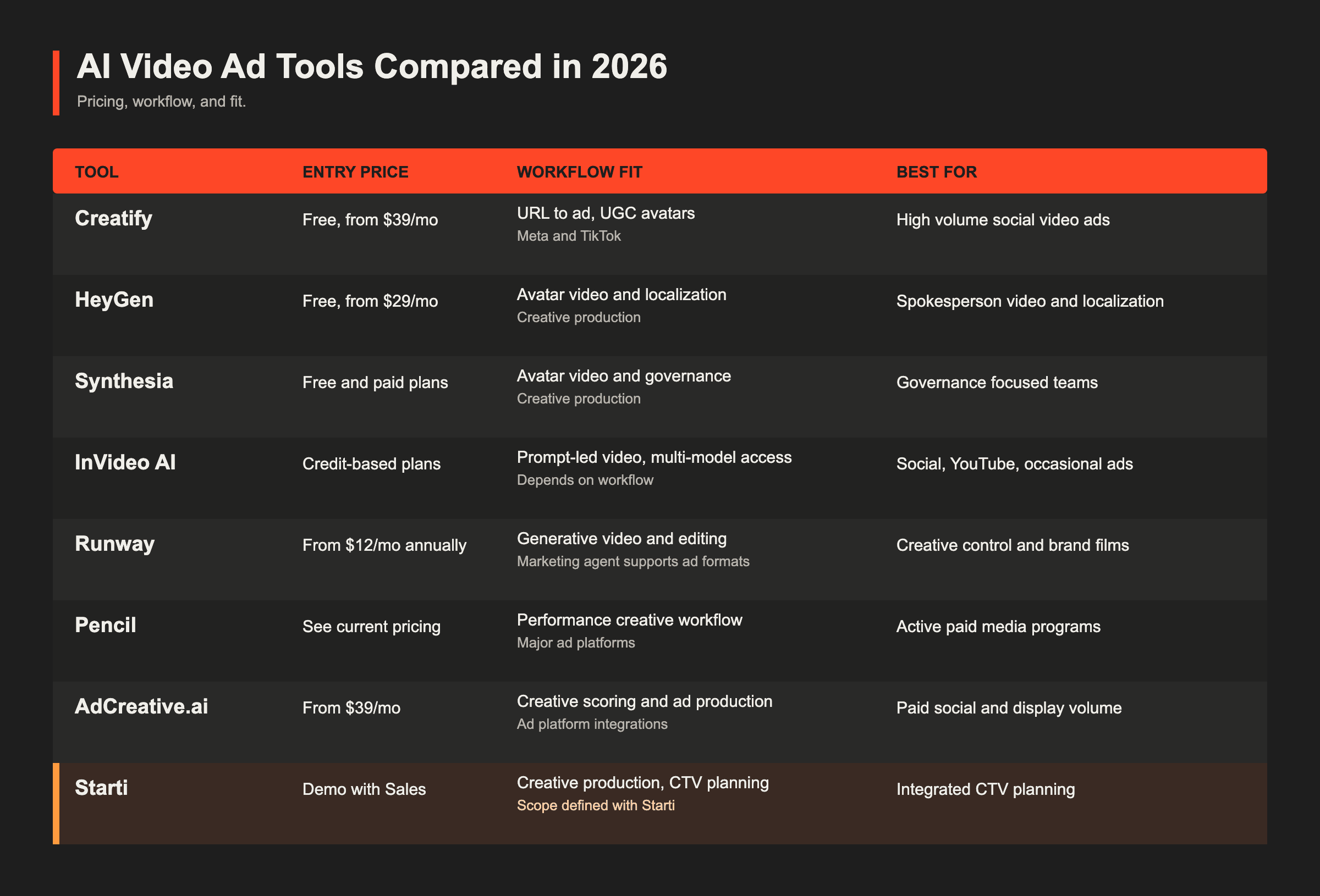
Five Criteria for Paid Media Use
- Ad readiness: whether output fits the relevant placement, approval, and rights requirements.
- Usable output cost: the cost of approved creative after credit use, revisions, and human review.
- Iteration workflow: how a team turns campaign learning into the next creative direction.
- Distribution: which channels the tool can support and what operating work remains.
- Measurement: what data the workflow can use and what remains outside the product.
Several tools now extend beyond file export with launch, integration, or performance features. The differences are in channel coverage, measurement depth, and the people and data needed to operate the workflow.
For a deeper operating checklist, use our guide to choosing a creative automation platform before running a pilot. To separate generators from production platforms before shortlisting, see AI video ad generator or production platform.
Seven AI Video Ad Tools Compared
Creatify: Social Ad Production
Creatify is built for advertising production. Point it at a product URL and it scripts, casts an AI avatar, and cuts UGC format video ads sized for Meta and TikTok. Batch mode generates variants in one run. Its Ad Clone and Competitor Tracker features support performance marketing workflows.
Pricing: free tier (10 credits/month, about 2 video ads, watermarked); Starter $39/month for 100 credits, roughly 20 video ads; Pro $99/month adds custom avatars, a larger credit pool, and team seats. Watch the credit math: cost per video shifts with length and avatar model, and unused credits expire.
Best for: high-volume short-form social ad production and rapid creative testing.
Watch for: CTV requires a separate review for resolution, audio, pacing, usage rights, and inventory requirements.
HeyGen: Avatar Video and Localization
HeyGen offers Avatar IV/V models, broad language support, and video translation that can adapt existing footage for new markets. It is useful for spokesperson content, localization, and marketing video production.
Pricing: free tier; Creator $29/month, Pro $49/month, Business $149/month. Credit consumption jumps sharply on the newest avatar models (roughly 20 credits/minute vs 3 on older models), so realistic budgets run higher than sticker price.
Best for: localized campaigns, spokesperson videos, and product explainers.
Watch for: define placement requirements, variant logic, and measurement before production begins.
Synthesia: Enterprise Avatar Video
Synthesia offers avatar video with enterprise controls, moderation, and brand governance.
Best for: training, internal communications, and regulated teams that need governance.
Watch for: evaluate the credit model against expected video length, revision volume, and approval standards.
InVideo AI: Broad Video Production
InVideo AI turns prompts into videos with scripts, stock footage, voiceover, and captions. It also provides access to a broad range of generative models through a credit-based workflow.
Best for: teams producing social clips, YouTube content, and occasional advertising from one workspace.
Watch for: test whether the available models, asset sourcing, and review workflow meet the brand and channel standard for paid use.
Runway: Generative Video and Editing
Runway combines generative video, editing, image, and audio tools. Its Standard plan starts at $12 per month on annual billing. Credit consumption varies by model, so usable output time changes with the workflow.
Best for: brand films, hero spots, and concepts that need significant creative control.
Watch for: test the time required for assembly, revision, approval, and channel-specific QA when planning larger variant volumes.
Pencil: Performance Creative Workflow
Pencil generates static and video ad variants and connects with advertising workflows to support performance creative decisions.
Best for: agencies and in-house teams building more variants from active paid media programs.
Watch for: check which ad accounts, channels, creative formats, and reporting workflows are available for the intended use case.
AdCreative.ai: Static and Video Ad Production
AdCreative.ai supports static and video advertising, creative scoring, and ad platform integrations. Starter plans begin at $39 per month depending on the billing option.
Best for: teams with sustained paid social and display volume that need creative production across formats.
Watch for: test the usable video output rate, editing depth, and approval workflow against the team's campaign requirements.
The Workflow Beyond Generation
Generating a video is one step in a paid media workflow. The harder work starts when a team decides what the next variant should say, whether it can use a claim or an asset, who approves it, and how much spend it deserves. These decisions slow production because they cross creative, brand, legal, product, and media teams.
Better measures than generation speed are time to approved asset, revision loops, cost per usable asset, and the evidence used to fund the next test.
A model release can change generation without removing those controls. Our Images 2.5 and Seedance 2.5 workflow guide shows how reference assets, scene review, and local replacement fit together.
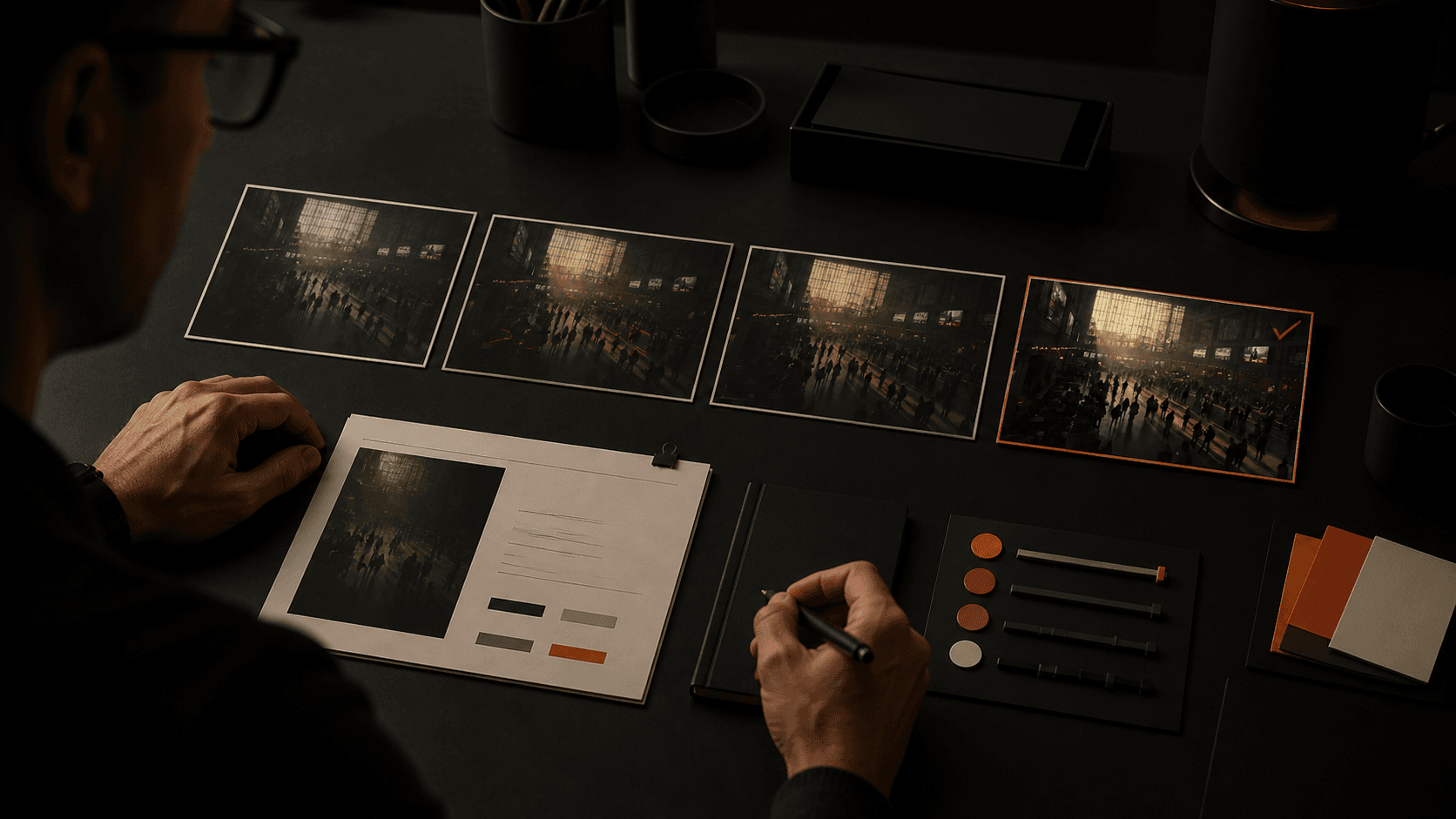
Before production, Starti scopes the campaign goal, brand assets, approval path, creative requirements, CTV media, and available measurement inputs with the client. AI Studio supports the creative production path, while the Starti team scopes CTV delivery and measurement with the client.
Smart Insight connects results from Meta, TikTok, Google Ads, and configured custom network accounts to the content of each video ad.
How to Evaluate a Shortlist
A controlled pilot produces workflow evidence that pricing pages cannot provide:
- Select finalists that match the primary channel and creative use case.
- Give each finalist the same campaign brief, approved assets, audience, offer, and review standard.
- Record revision time, usable output rate, cost per approved asset, and the reason any asset failed review.
- Run a pilot that is long enough to collect meaningful outcome data for the chosen event.
- Review media results separately from production results, then decide whether the workflow can support the next campaign cycle.
This process gives teams a decision record instead of an impression from a demo.
Where Each Tool Fits Best
- High-volume social and UGC ads: Creatify. Consider Pencil when the team needs a performance creative workflow across active ad accounts.
- Spokesperson video and localization: HeyGen.
- Governance-focused avatar production: Synthesia.
- Broad video production across social and YouTube: InVideo AI.
- Generative video with creative control: Runway.
- Static and video production for sustained paid social and display: AdCreative.ai.
- Managed creative plus CTV planning: Starti, for teams that want creative production, media delivery, and measurement scoped together.
Teams evaluating whether AI Studio fits their creative workflow can book a demo with Starti to scope campaign requirements, production, and measurement.
FAQ
What is an AI video ad generator?
An AI video ad generator uses prompts, product URLs, or approved assets to create scripts, visuals, voiceover, edits, and ad variants. Some tools also support managed production, distribution, or measurement.
Are AI-generated video ads effective?
AI-generated video can speed up concept and variant production. Performance still depends on the brief, channel requirements, review quality, media setup, and how creative quality and campaign performance are measured.
How much do AI video ad tools cost in 2026?
Entry plans in this comparison start free, and paid entry tiers run about $12 to $39 per month.
Can AI video tools make CTV-ready ads?
Some tools can produce material that becomes CTV-ready after review. Check resolution, audio, pacing, usage rights, brand approval, and inventory requirements before trafficking.
Which AI ad tool fits a performance marketing team?
Creatify and Pencil are relevant starting points for paid social teams. For a measured CTV workflow, Starti scopes creative production, media delivery, and available measurement inputs.
What's the difference between an AI video generator and an AI video ad generator?
General video generators focus on broad content creation. AI video ad tools add advertising workflows such as format adaptation, variants, platform integrations, or performance inputs.