Campaign or creative
Review individual campaigns or the combined results of a creative used across several campaigns.
Smart Insight · Creative performance analysis
Smart Insight connects campaign results to the content of your video ads, helping your team decide what is worth producing again.
Performance
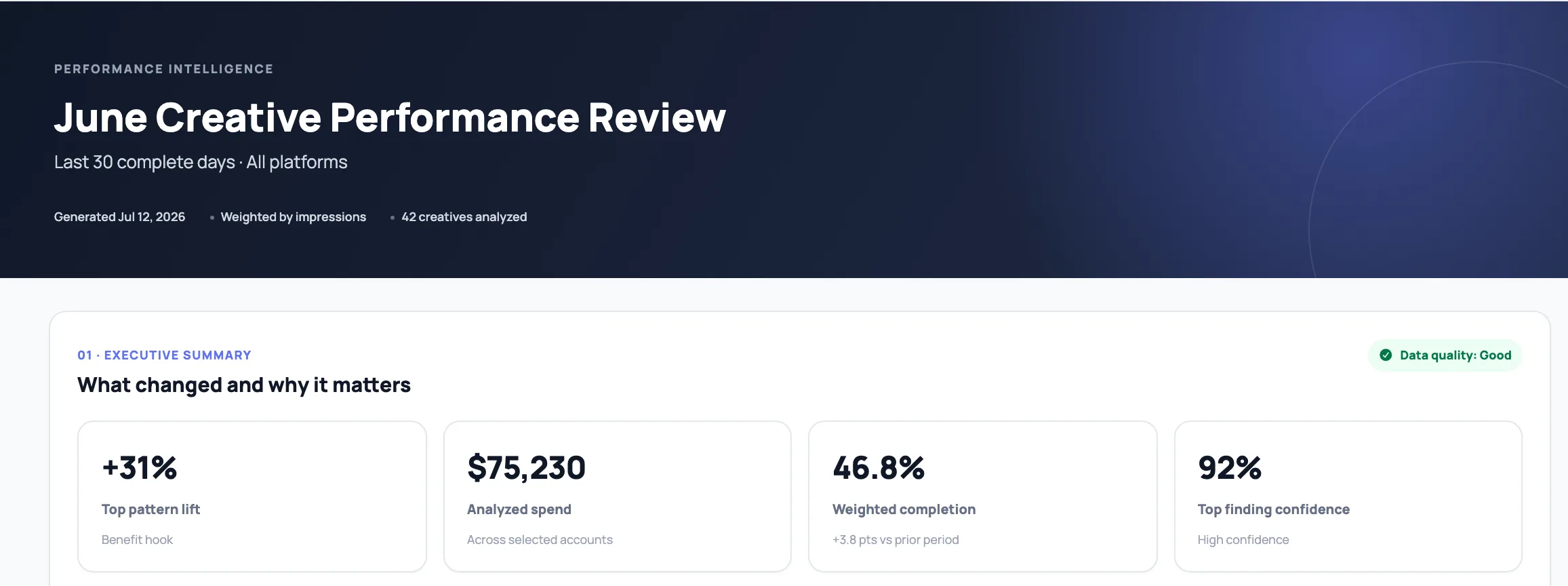
Find the creative patterns behind performance, validate the evidence, and turn them into actions.
Choose how to group creatives and which outcome to compare.
| Hook type | Creatives | Spend | CTR | Completion | vs benchmark | Confidence | Evidence |
|---|
Comprehensive reports that preserve their filters, evidence, and suggested actions.
Performance data
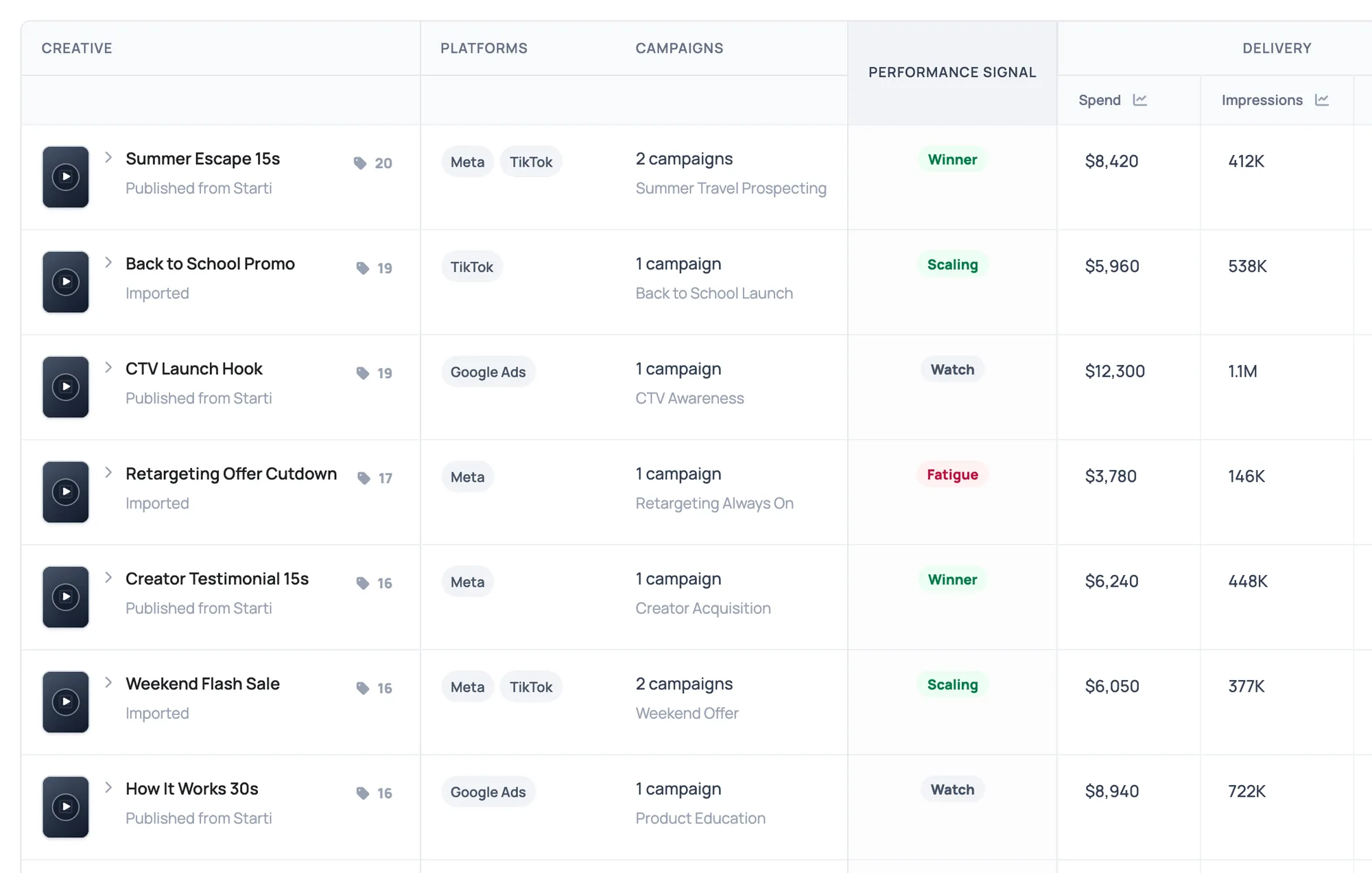
Follow one creative across platforms and campaigns, with its spend, engagement, and video completion in the same record. Open the ad alongside its results to see exactly what ran.
Review individual campaigns or the combined results of a creative used across several campaigns.
Bring Meta, TikTok, Google Ads, and configured custom networks into the same analysis.
 Meta
Meta TikTok
 Google Ads
Custom networks supported
Compare all or selected accounts over 7, 30, or 90 complete days.
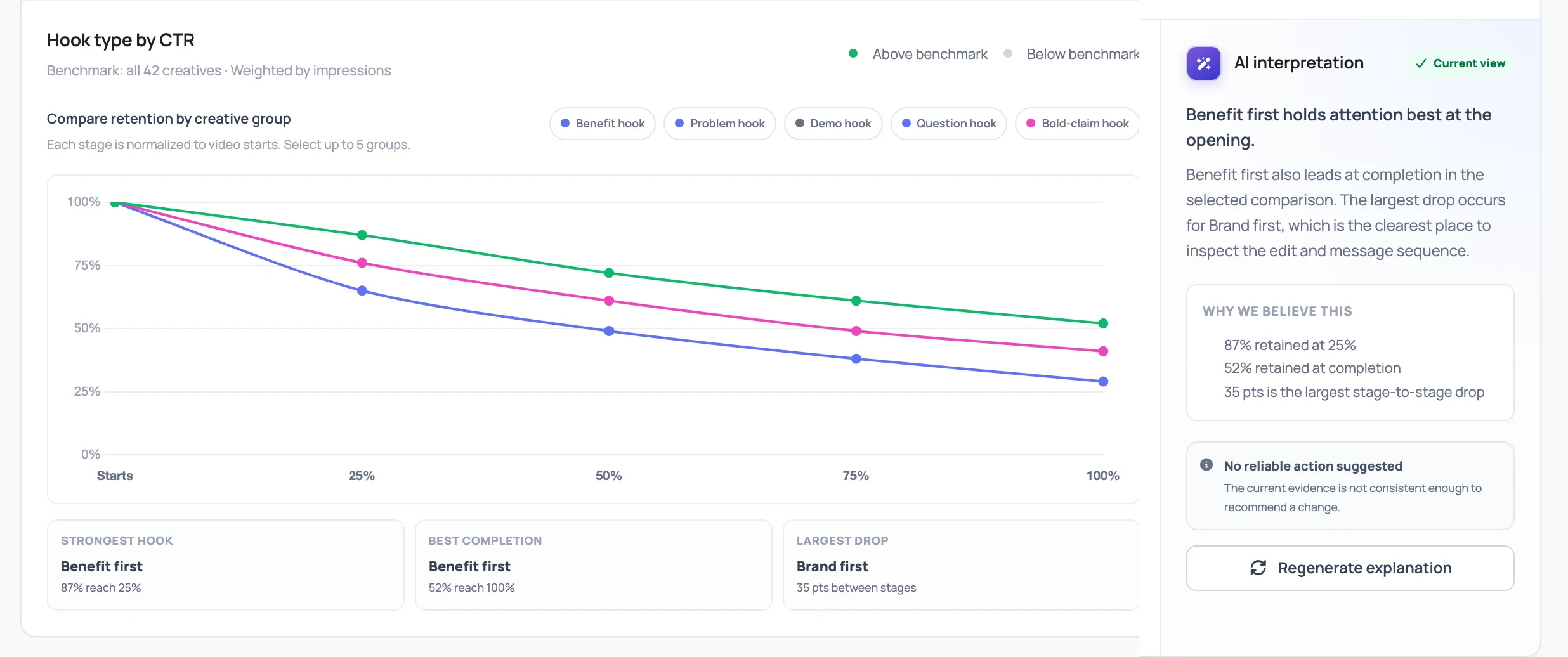
Compare nine creative attributes against CTR, completion, and other outcomes. See whether an opening, visual style, or call to action performs differently across a group of ads.
Review supporting creatives, counterexamples, and sample size, then inspect the timestamped scenes. Your team can assess the finding with the actual content in view.
Inside Smart Insight
Use performance signals to prioritize your review, read the AI interpretation, and share a report that gives colleagues or clients the context behind your recommendations.
Winner, Scaling, Watch, and Fatigue signals help you prioritize which campaigns and creatives to review.
Insights to actions
Turn the findings into a brief for your existing creative team, or continue into production in AI Studio.
Group creative by any tagged attribute and compare the outcome that matters against the rest of the cohort.
Patterns associated with stronger performance surface first.
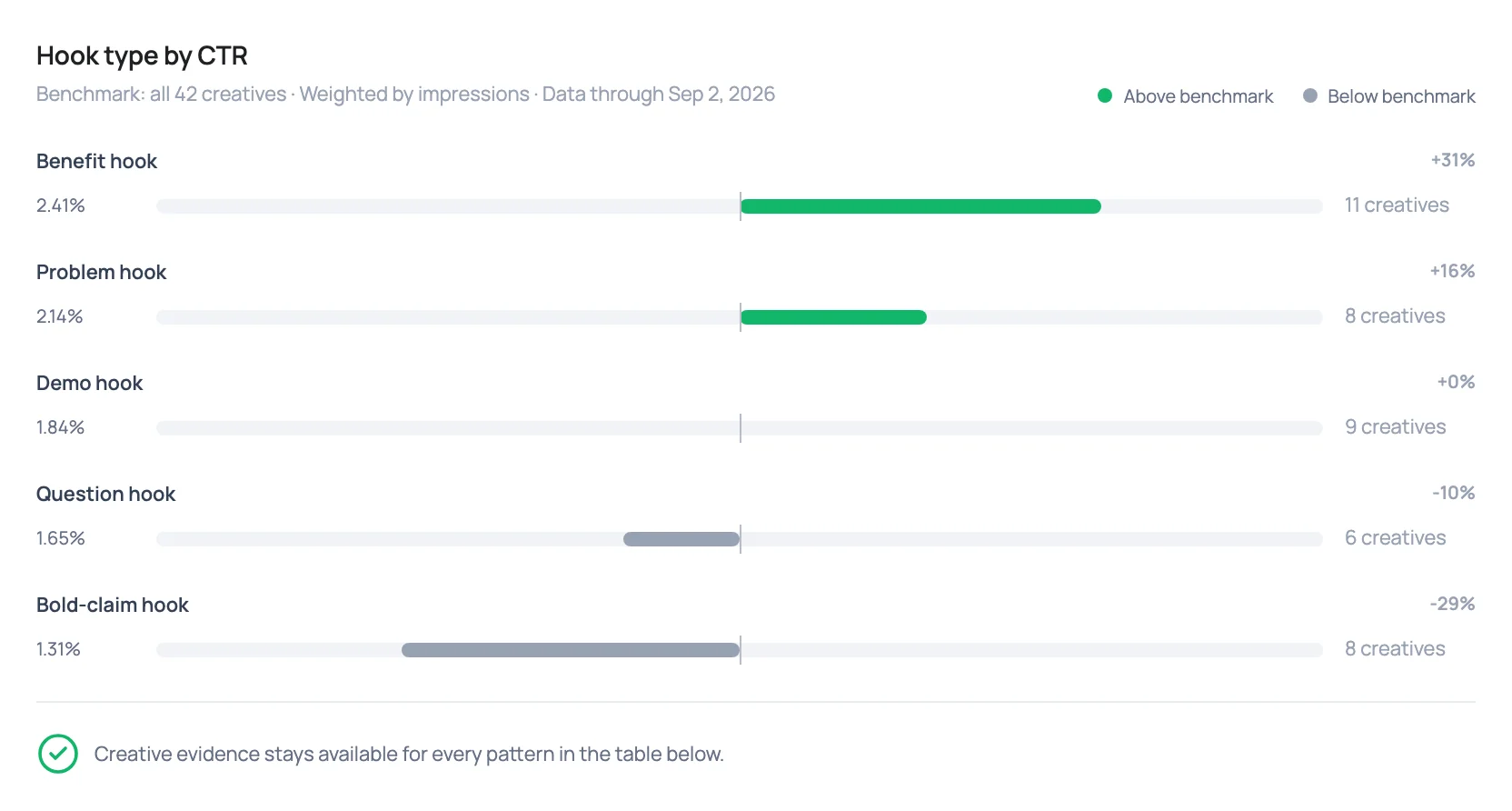
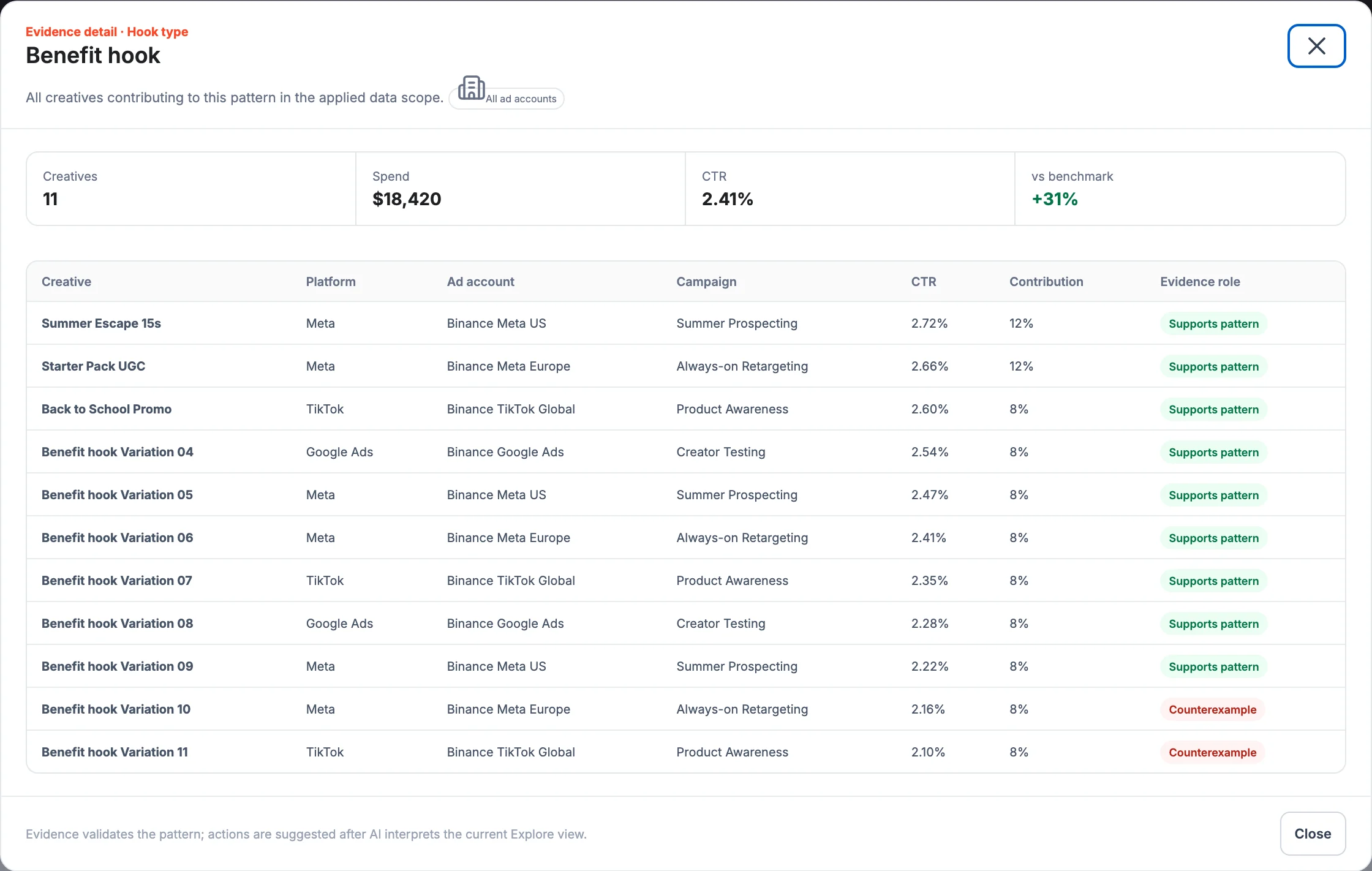
Review each finding’s scope, supporting creatives, counterexamples, and confidence.
Review the evidence and select the creative direction for the next test.
Share a brief with the supporting evidence, what to change, and what to test. Continue with your team or produce the next version in AI Studio.
Keep what performs. Change what lags. Launch the next creative with a reason.
FAQ
How Smart Insight fits into campaign analysis and creative production.
Smart Insight connects to Meta, TikTok, Google Ads, and configured custom network accounts. Analyze all connected accounts or select the ones relevant to your review.
Findings appear when there is enough data for a comparison. For CTR, the minimum is 10,000 impressions, with at least three creatives and two campaigns in both the group being analyzed and the comparison group. If those thresholds are not met, that selection shows no findings. We can review account readiness during the demo.
Yes. Share a report by link or export it as a PDF, with the supporting ads and recommended next steps. Your team or clients can review the evidence behind the recommendation.
Yes. Smart Insight is part of AI Studio, so you need AI Studio to use it. You can use Smart Insight to analyze existing ads without using the platform’s other features.